
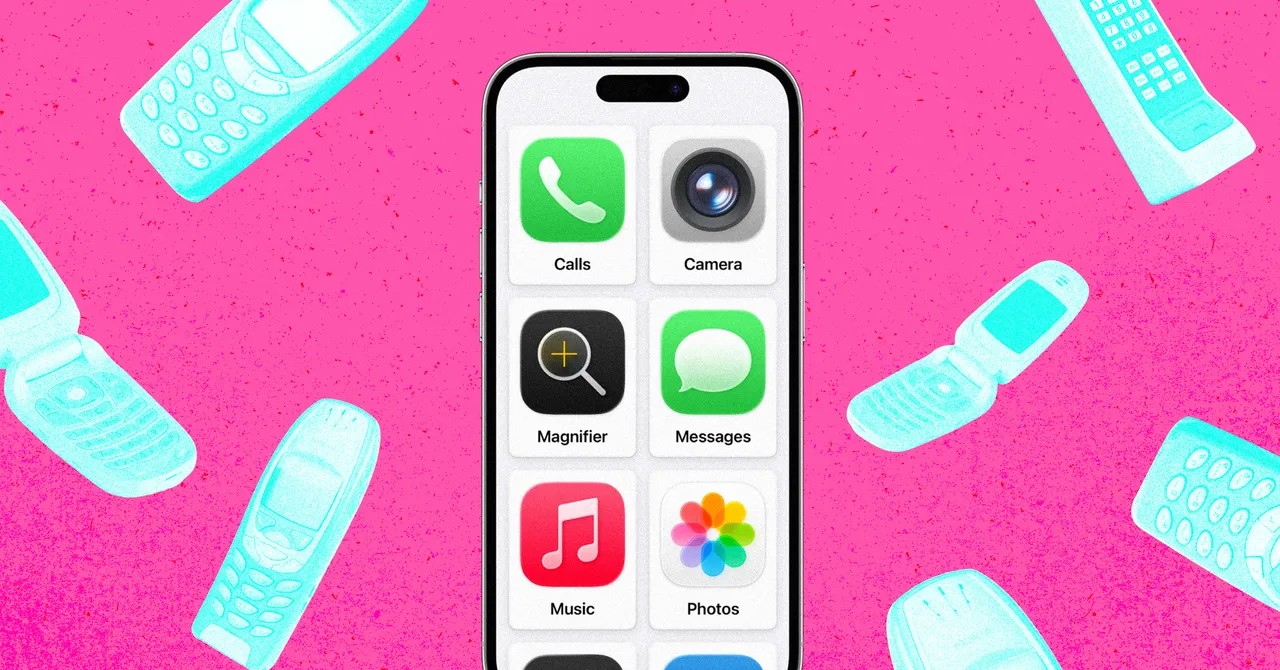
Nostalgia isn’t why I’ve been eyeing brick phones.
Well. It isn’t the main reason. The Nokia 8210 launched at Paris Fashion Week in October 1999. Smallest. Lightest. I still remember it.
The real dread is different.
September. School starts. Walking across town alone.
A tracking tag feels cowardly. A full smartphone feels like surrendering his mind to the algorithm before he knows who he is.
I needed a middle ground. A device that can navigate, that can call home if the pavement suddenly ends. But one that cannot open Instagram. One that cannot open anything that isn’t essential.
I looked at restrictions. Apple’s Screen Time is draconian, sure. But it is leaky.
Kids find workarounds. A text link from a friend opens Safari. The restriction cracks. It doesn’t hold.
Third-party apps like “Dumb Phone” exist. They charge you. For the privilege of removing apps. Paying to delete things? That logic doesn’t compute.
Then I found it. Buried in the settings. Hidden behind an Accessibility tab.
It’s called Assistive Access.
Apple added it in iOS 17. Designed for cognitive disabilities. Not for parenting. But for a child? It is the perfect lockbox.
The Setup
It is jarring.
Go to Settings. Scroll down. Find Accessibility. Tap Assistive Access.
You select a grid or rows. Grid is better. The icons are huge. Friendly. Simple.
You choose the allowed apps. That’s the key.
Standard Screen Time allows a workaround via text links. Assistive Access treats every link as plain text. It refuses to open. Ever.
Safari is gone unless you add it. Chrome is gone. If they don’t exist in this interface, the web does not exist for them.
It prevents accidental navigation by design. Links are dead weight.
You set permissions too.
Calls can be everyone, contacts, or just favorites.
Messages behave similarly.
Music plays only what you approve.
It is child’s play. In the literal sense.
Set a four-digit code. That code is the master key. Without it, the simplified interface stays. With a triple-click of the side button and the code entry, you return to the regular iOS.
My setup for my son:
- Calls
- Messages
- Maps
- Camera (no selfies, only video calls)
- Photos
- Music
Nothing else.
An old iPhone 13, dusty in a drawer, became the best phone ever made for a seven-year-old. No monthly fee for a service plan. Just a carrier SIM. It slots into the ecosystem. It tracks. It finds. It works.
The Glitches
Is it flawless? No.
It runs slow. My son didn’t notice. He had a phone. That was the point.
There is a risk. Assistive Access overrides Screen Time.
If you add Safari here, the screen time limits for that app don’t apply in the same way. Keep that in mind.
You also can’t power the device off from this mode. You must exit back to the standard UI to hold the button. Minor. Annoying? Slightly.
There are bugs.
My son froze the Messages app once. He was scrolling through emojis. Just searching. The app crashed. Hard.
The only fix was to exit Assistive Access, reset, and go back in. He couldn’t do that alone. But the other five apps kept working. So he wasn’t stranded. Just frustrated with his text messages.
I took it to the Apple Store. Paranoia, maybe.
A staffer looked at the six large tiles on the screen. His eyes went wide.
“What have you done?”
I told him.
“We aren’t trained on this,” he admitted. He looked impressed. “But it is much better than Screen Time.”
He didn’t know about it. Most staff don’t. Apple doesn’t shout about it. I asked why. They declined to comment.
It makes no sense.
iOS 17.7 is coming soon. The new Screen Time updates will finally block Safari natively. So Apple is copying Assistive Access.
Why hide the good version while fixing the broken one?
Perhaps because Assistive Access was never meant for this. Perhaps because marketing a “kid mode” inside a disability tool is sensitive territory.
Or maybe they just want you to buy the SE model and install their new controls.
My son is safe. His data is clean.
He still worries about breaking the expensive glass. I tell him to look at the map instead.